Does the GRSICO 15-piece alarm system actually work with Amazon Alexa?
GRSICO says it works with Alexa for voice arming, but it does not reliably connect to Alexa, and connectivity is its most common complaint. If Alexa voice control matters to you, don't count on it. What does work well is arming, disarming, and alerts through the Smart Life app, the keypads, and the included remotes.
What exactly is included in the 15-piece kit?
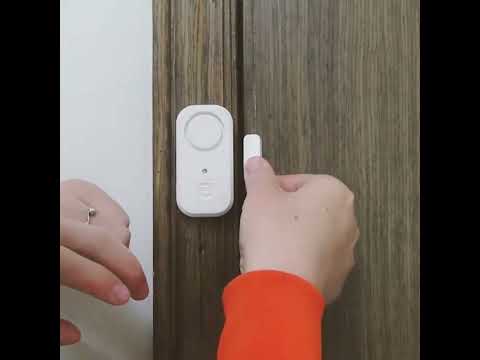
The box contains one base station, two keypads, two remote controls, two motion sensors, and eight door/window sensors, for fifteen pieces total. The sensors are battery powered and self-adhesive, so they mount to door frames and walls without drilling or wiring, with the base station tying them all together. That's enough hardware to cover the main entry points of a small home or apartment in one box. Extra sensors and remotes are sold separately if you need more.
How loud is the alarm siren?
GRSICO rates the base station siren at up to 120 dB, with adjustable volume, and the base station is genuinely very loud. That's loud enough to be startling and to carry well outside the immediate room. If you can't hear the base station from every part of the house, one owner added an outdoor siren that connected without trouble and also announces when the system arms and disarms.
Are there any subscription or monthly monitoring fees?
No. GRSICO markets this explicitly as a one-time purchase with no monthly fee. Alerts go directly to your phone through the Smart Life app rather than to a monitoring center. One owner chose to pay for phone call and text alerts for alarm events, but the standard app notifications need no subscription. That keeps ongoing costs at zero, but it also means there's no professional monitoring backstop if you're away and miss a phone alert, the trade-off for skipping a subscription.
What WiFi issues should I expect before buying?
Connectivity is the most common complaint, and the system only works on a 2.4GHz connection. GRSICO lists 2.4GHz WiFi for the base station, which is common for budget WiFi smart-home devices. Before buying, check whether your router broadcasts a dedicated 2.4GHz network or a combined band, since a combined or 5GHz-only setup is the most likely cause of pairing or connectivity trouble. Sort that out first and pairing is far less likely to fail.
Is setup really doable in minutes, or is it more involved than that?
For most people, yes, but not for everyone. GRSICO says setup takes minutes by following the guided steps in the Smart Life app, and it generally is simple. The instructions are hit and miss, though, and one owner had to delete and re-add the sensors in the app before setup worked. Allow extra time for your first attempt, especially if you also need to adjust your router's WiFi band first.